















If you are planning a trip to Japan, you have likely heard one piece of advice on repeat: “Get a Suica card.”
For decades, these “IC Cards” (Integrated Circuit cards) have been the lifeblood of Japanese travel. They are rechargeable tap-and-go cards that let you breeze through train gates, pay for buses, buy drinks from vending machines, and even pay for lunch at convenience stores—all without touching a single yen coin.
However, the landscape has changed dramatically in the last few years. Following the global semiconductor shortage of 2023–2024, the days of simply walking up to any kiosk and buying a card are complicated. While the situation has stabilized in 2026, the rules are different, and outdated information clutters the internet.
This is your definitive, elite-level guide to securing a Suica or Pasmo card in 2026. Whether you are a tech-savvy traveler using an iPhone or a purist who wants a physical souvenir, this guide covers every method, location, and loophole you need to know.
Related Posts
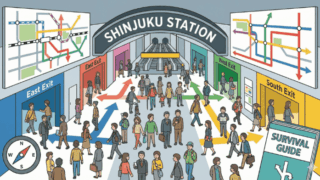
Shinjuku Station Survival Guide: How to Find Your Exit in the World’s Busiest Hub
- What Are Suica and Pasmo Cards?
- 2026 Status Update: The Chip Shortage & Availability
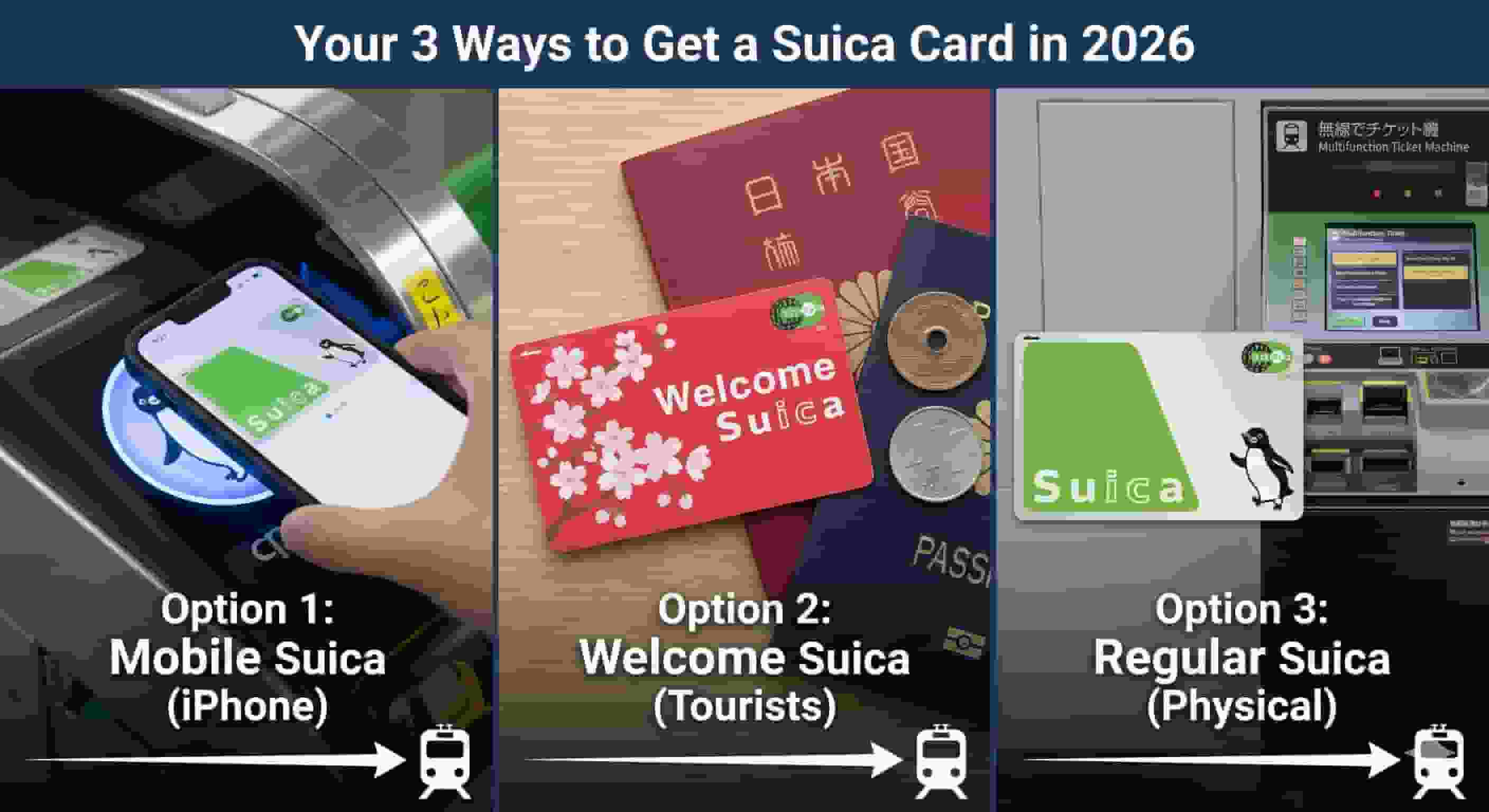
- The Best Option: Mobile Suica (iPhone & Apple Watch)
- How to Buy a Physical Card: The “Welcome Suica”
- How to Buy a Regular (Green) Suica or (Pink) Pasmo
- How to Use Your Suica/Pasmo
- How to Recharge (Top-Up) Your Card
- Troubleshooting & FAQ
- Conclusion
What Are Suica and Pasmo Cards?
Before we dive into how to buy them, it is critical to understand what you are buying.
Suica and Pasmo are prepaid e-money cards. They function almost identically to London’s Oyster card or Hong Kong’s Octopus card.
- Suica: Issued by JR East (Japan Railways). The mascot is a penguin.
- Pasmo: Issued by non-JR private railway lines and subways in Tokyo. The mascot is a robot.
The Golden Rule: Functionally, they are the same. You can use a Suica on the subway, and you can use a Pasmo on JR lines. You can use both in Osaka, Kyoto, and Hokkaido. Do not stress about which specific brand you get; just get one.
2026 Status Update: The Chip Shortage & Availability
If you read travel forums from 2023 or 2024, you will see panic about “suspended sales.” Here is the reality on the ground for 2026:
- Mobile is King: The shortage never affected digital cards. If you have an iPhone, you likely do not need a physical card at all (more on this below).
- Anonymous Cards are Back (Mostly): Sales of standard “anonymous” cards (cards not registered to a name) officially resumed in March 2025. However, stock can still be inconsistent at smaller stations.
- Registered Cards are Widely Available: If you cannot find an anonymous card, you can almost always buy a “MySuica” or “MyPasmo” by entering your name and phone number at the machine.
- Pasmo Passport is DEAD: Important: The “Pasmo Passport” (the cute Hello Kitty tourist card) was discontinued in August 2024. Do not look for it. It no longer exists.
- Welcome Suica is the Standard Tourist Option: The “Welcome Suica” (red card with cherry blossoms) is still the primary physical option sold at airports.
The Best Option: Mobile Suica (iPhone & Apple Watch)
If you have an iPhone (iPhone 8 or newer) or an Apple Watch (Series 3 or newer), you do not need to line up for a physical card. You can issue a new Suica card digitally before your plane even lands.
Why this is the elite choice:
- No Queues: Skip the chaos at Narita/Haneda arrival halls.
- Instant Top-Up: Reload using your credit card in Apple Wallet. No need to find a cash machine.
- Harder to Lose: It lives in your phone, protected by FaceID/Passcode (though Express Transit mode allows usage without unlocking).
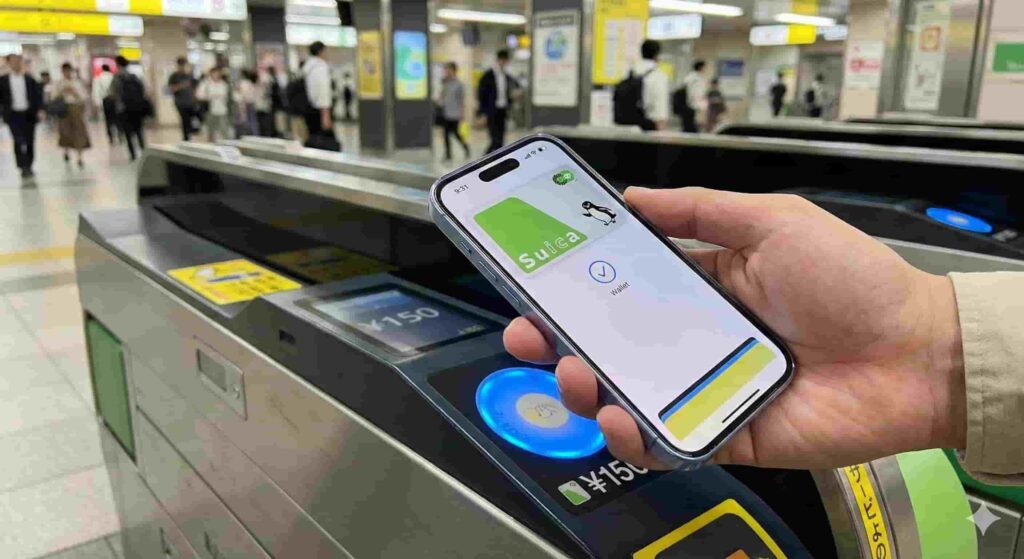
How to Add Suica to Apple Wallet
- Open the Wallet app on your iPhone.
- Tap the (+) icon in the top right.
- Select Transit Card.
- Search for “Suica” (or Pasmo/ICOCA—they all work).
- Tap Continue and enter an amount to load (minimum ¥1,000).
- Pay using a Mastercard or AMEX stored in your Apple Wallet.
Crucial Note on Credit Cards: historically, Visa cards issued outside Japan have had issues topping up mobile Suica due to “3D Secure” conflicts. While many Visa cards now work in 2026, Mastercard and American Express remain the most reliable options. If your Visa fails, try a Mastercard.
What About Android?
This is the major caveat. Most Android phones sold outside of Japan do not contain the specific “Osaifu-Keitai” (Mobile Wallet) FeliCa chip required for mobile Suica.
- Google Pixel: Some international models work, but many do not.
- Samsung/Other: Unless you bought your phone in Japan, Mobile Suica likely will not work on your Android.
- The Verdict: Android users should plan to buy a physical card.
How to Buy a Physical Card: The “Welcome Suica”
For Android users, children (who don’t have phones), or souvenir collectors, the Welcome Suica is the specific card designed for tourists.
Welcome Suica (The Red Card)
- Validity: 28 days from the date of issue.
- Deposit: None (¥0).
- Refunds: Non-refundable. You must use up the balance before you leave, or the money is lost.
- Design: Features a white cherry blossom pattern on a red background.
Where to Buy Welcome Suica
You can purchase these at dedicated vending machines and Travel Service Centers at:
- Narita Airport: Terminals 1, 2, and 3 (Arrivals Hall & JR Station area).
- Haneda Airport: Terminal 3 (Arrivals Hall & Tokyo Monorail station).
- Major Tokyo Stations: Limited availability at the JR East Travel Service Centers in Tokyo, Shinjuku, Shibuya, Ikebukuro, Ueno, and Shinagawa.
The Buying Process:
- Locate the machine marked “Welcome Suica.”
- Select “English” on the touchscreen.
- Choose your initial balance (e.g., ¥2,000).
- Insert cash (yen notes).
- Collect the card and the Reference Paper.
- Note: Keep the Reference Paper. You need it to prove the card’s validity if asked by staff, though this is rare.

How to Buy a Regular (Green) Suica or (Pink) Pasmo
If you want a card that lasts 10 years (perfect for repeat visitors) or if the airport queues for Welcome Suica are too long, aim for a regular card.
1. The “Registered” Card Strategy (High Success Rate)
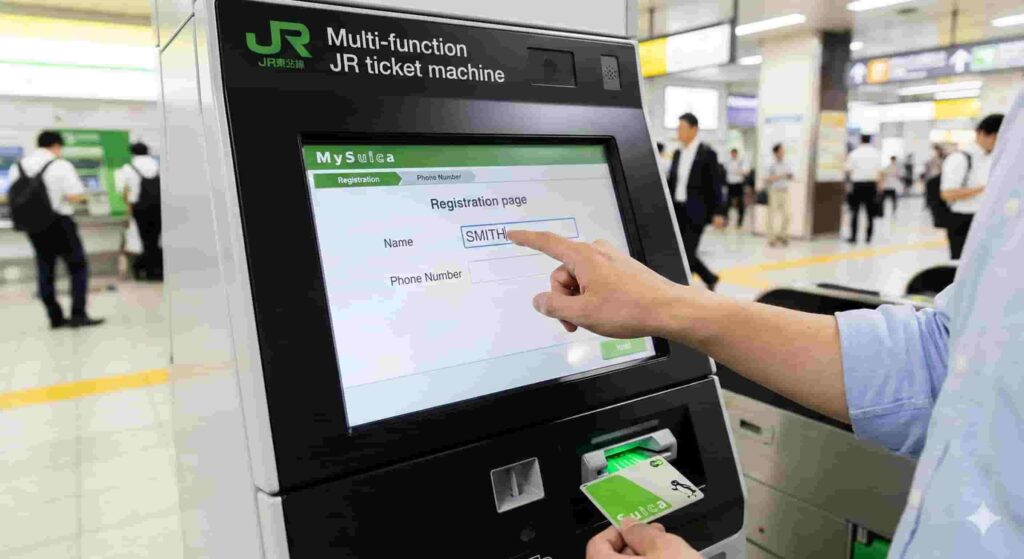
If you go to a black multi-function ticket machine at any JR Station:
- Select “Purchase New Suica.”
- If “Suica” is greyed out, look for “MySuica” (Registered Suica).
- You will be asked to enter your Name, Date of Birth, and Phone Number.
- Tip: Use your hotel’s phone number if your international number isn’t accepted.
- Pay the ¥500 deposit + initial charge.
- The card will print with your name on it. This card functions exactly like a normal Suica but can be reissued if lost.
2. The “Regional” Backdoor (ICOCA)
If you are flying into Kansai International Airport (KIX) (Osaka/Kyoto) instead of Tokyo:
- You will buy an ICOCA card.
- JR West (which issues ICOCA) never suffered the same shortages as Tokyo.
- Strategy: Buy an ICOCA in Osaka. Bring it to Tokyo. It works perfectly on Tokyo trains.
- Note: You can only return/refund the ICOCA in the Kansai region, so keep it as a souvenir or for your next trip.
How to Use Your Suica/Pasmo
Using the card is intuitive, but there are nuances that separate the novices from the pros.
1. Trains and Subways
- Tap and Go: Touch the card flat against the glowing reader on the ticket gate.
- Listen for the Beep:
- Beep-Beep: Success.
- Beeeeep (Long Tone): Error. The gate will close. Back out and check the screen (usually “Insuff. Funds”).
- No Minimum Entry: Unlike some systems, you can usually enter a station with very little balance (e.g., ¥10), but you cannot exit unless you have enough to cover the fare.
2. Vending Machines & Konbini (Convenience Stores)
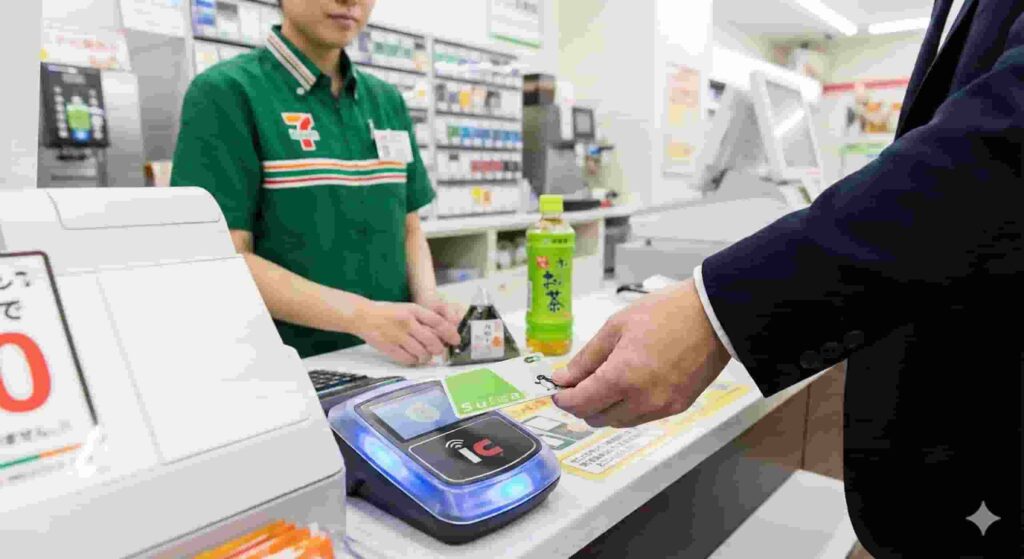
- Look for the IC logo (a card with radiating waves).
- Vending Machines: Select your drink first, then tap the card.
- Konbini: Tell the cashier “Suica” (or “IC Card”). Tap the reader when it lights up.
3. Buses
- Flat Fare (Tokyo Center): Tap once when you enter (front door).
- Distance Fare (Suburbs/Kyoto): Tap when you enter (rear door), and tap again when you exit (front door).
How to Recharge (Top-Up) Your Card
You cannot link a credit card to a physical Suica/Pasmo (only Mobile Suica allows credit card charging). You must use cash.
Where to charge:
- Ticket Machines: Almost every station has machines. Insert card, insert cash, select amount.
- 7-Eleven ATMs: The “secret weapon.” Go to any 7-Eleven ATM, press “Charge IC Card,” place your card on the reader, and insert cash. Great for topping up late at night.
- In-Store: You can ask the cashier at FamilyMart, Lawson, or 7-Eleven to charge it. Say: “Charge, onegaishimasu” and hand them the cash.
Troubleshooting & FAQ
“I tapped my card, but the gate closed on me!”
This usually happens if you did not tap out correctly at your previous station. Your card is now “locked.”
- The Fix: Go to the manned window (usually near the gates). Hand the card to the staff. They will fix the record on their computer.
“Can I get a refund on my Welcome Suica?”
No. The Welcome Suica balance is non-refundable.
- Pro Tip: On your last day, buy snacks at the airport convenience store to burn the remaining balance. If you have ¥130 left and your snack costs ¥150, tell the cashier you want to use the Suica balance first and pay the rest in cash.
“Does Suica work on the Shinkansen (Bullet Train)?”
Generally, No.
- The base fare is covered, but you need a separate “Express Ticket” for the Shinkansen.
- Advanced User Trick: You can link your Suica to the “SmartEx” app to ride Shinkansen, but for most first-time tourists, it is safer to buy physical paper tickets for the Bullet Train and use Suica for local travel.
“I have an old Suica from 2019. Can I use it?”
Yes.
- Suica and Pasmo cards remain valid for 10 years from the last date of use.
- If it has been more than 10 years, the card is invalid, but the balance can sometimes be transferred to a new card at a JR Ticket Office.
Conclusion
Navigating the Japanese transport system is an adventure, but paying for it shouldn’t be. In 2026, the era of the “Suica shortage” is largely behind us, but the shift toward digital and tourist-specific cards has permanently changed the landscape.
Your Action Plan:
- If you have an iPhone: Set up Mobile Suica right now. It is the superior experience.
- If you have Android: Plan to buy a Welcome Suica at the airport or a Registered MySuica at a station.
- Avoid: Do not waste time looking for the discontinued Pasmo Passport.
Equipped with this knowledge, you are ready to tap your way through Tokyo, Osaka, and beyond like a local.